
SaaS Products Explained: Examples, Features, and How to Choose

A SaaS product is cloud-hosted software delivered to users over the internet on a subscription basis, with the vendor handling all infrastructure, updates, and maintenance. This guide covers everything you need to evaluate one: the technical basics (multitenancy, cloud delivery), subscription and tiered pricing models, core benefits and trade-offs, the main SaaS categories, a practical selection checklist, categorized examples from Slack to Zendesk, a real-world Livesession case, current trends including AI agents and vertical SaaS, and a curated sources list.
Here is what you will find on this page
- How SaaS architecture and delivery actually work
- Pricing models and deployment options
- Benefits and honest trade-offs (including data portability risks)
- SaaS types: horizontal, vertical, micro-SaaS, and platform
- A scorecard and checklist for vendor evaluation
- Categorized examples with use cases and key features
- A Livesession case study on session analytics
- Trends shaping SaaS in 2026 (AI agents, privacy, low-code)
- Useful sources and further reading
Key Takeaways
SaaS products deliver software over the internet on a subscription basis, and choosing the right one requires evaluating fit, total cost, compliance, integration depth, and data portability before you commit.
Point: Definition and delivery
Details: SaaS is cloud-hosted software accessed via browser or API; the vendor manages all infrastructure and updates.
Point: Pricing shapes vary
Details: Expect per-user, usage-based, tiered, or freemium models; always calculate overages before signing.
Point: Validate data portability
Details: Ask for a live export demo before buying; limited export formats are the most common source of vendor lock-in.
Point: Match type to need
Details: Horizontal SaaS offers breadth; vertical SaaS offers domain depth and compliance fit for regulated industries.
Point: AI agents are arriving fast
Details: Gartner forecasts 40% of enterprise apps will include task-specific AI agents by 2026; ask vendors about governance now.
Table of Contents
How SaaS products work: architecture, delivery, and the business model
SaaS pricing models and deployment options you will actually encounter
Core advantages of SaaS and the trade-offs worth watching
The main SaaS types and how to tell them apart
How to choose a SaaS product: a practical scorecard and checklist
12 SaaS products worth knowing, organized by what they actually do
How Livesession helps product teams fix what they cannot see
Trends shaping SaaS right now and what they mean for buyers
What I actually prioritize when evaluating SaaS
How SaaS products work: architecture, delivery, and the business model
SaaS is a cloud-hosted delivery model where the vendor hosts the application and makes it available to users over the internet, typically through a browser or mobile app. You never install anything locally. The vendor owns the servers, patches the software, and manages uptime. You just log in.
The underlying architecture is almost always multitenant: one shared software instance serves many customers simultaneously. That shared model keeps costs low and lets vendors push updates to everyone at once. The trade-off is that per-customer customization has limits. Some vendors offer single-tenant deployments for regulated industries or enterprise clients who need stronger data isolation, but those options usually come at a premium and require a separate contract negotiation.
AWS describes the SaaS shift as moving infrastructure and update responsibilities entirely to the vendor, freeing teams to focus on using the software rather than running it. In practice, that means no patching cycles, no server provisioning, and no internal IT overhead for routine maintenance. Updates roll out automatically, often without any downtime notice.
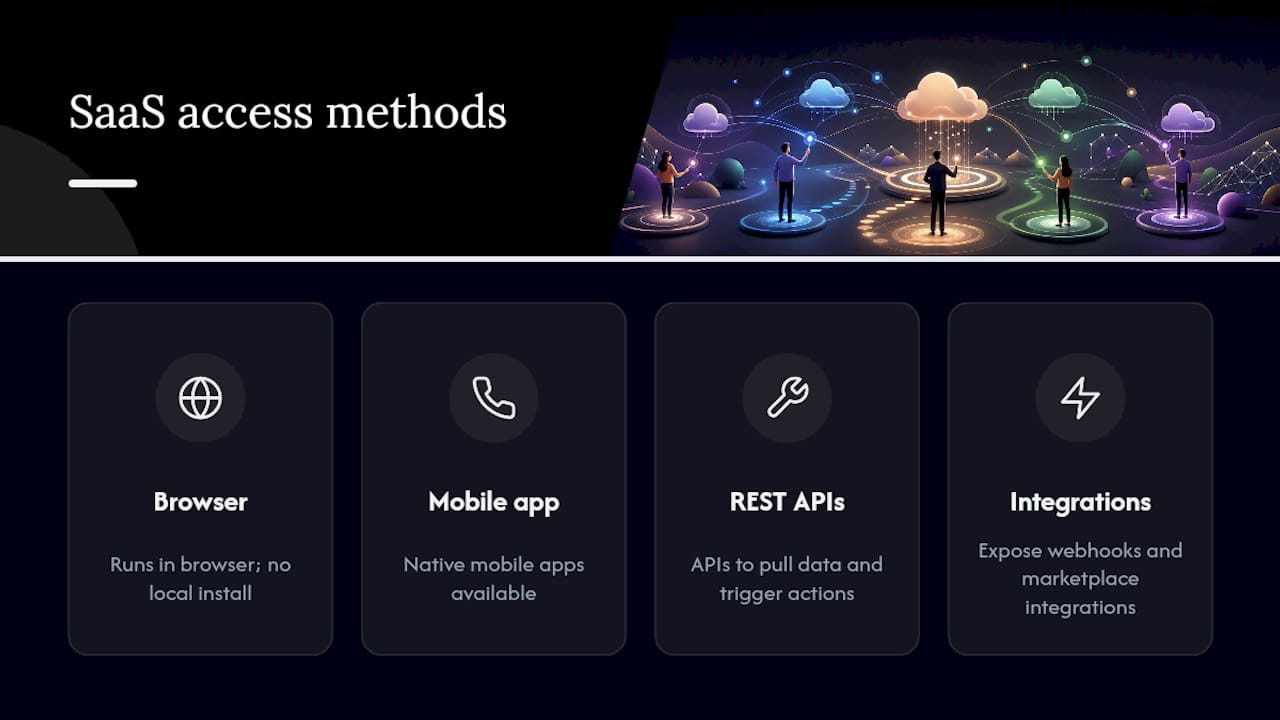
Access patterns vary. Most SaaS products run in the browser. Many also offer native mobile apps and REST APIs so you can pull data into other systems or trigger actions programmatically. Cloudflare notes that users can reach SaaS from any internet-connected device, and most modern products expose webhooks and marketplace integrations to automate cross-tool workflows. That API layer is often what separates a useful SaaS product from one that becomes a data silo.
SaaS pricing models and deployment options you will actually encounter
Most SaaS products use subscription pricing with tiered functionality, billed monthly or annually. The tier you land on depends on how many users you have, how much you use, or which features you need. Here are the billing drivers you will see most often:
Per-user / per-seat: You pay for each named user or active seat. Common in CRM and project management tools.
Usage-based: Billing tracks API calls, data volume, messages sent, or records processed. Common in analytics and communication platforms.
Feature tiers: A free or starter plan covers basics; paid tiers unlock automation, advanced reporting, or admin controls.
Freemium: A permanently free tier with hard limits, designed to convert power users to paid plans.
Overage fees: Usage above your plan’s cap triggers per-unit charges. Read the fine print before you scale.
Deployment options matter as much as pricing. A standalone SaaS product runs independently and connects to your stack via API. Platform ecosystems (think Salesforce AppExchange or the Microsoft 365 suite) bundle multiple products and let you install third-party apps from a marketplace. API-first SaaS products are built to be embedded or extended, so developers can wire them into custom workflows without touching the vendor’s UI.
One practical note: SLAs and data ownership clauses vary significantly between vendors. Always check what the SLA actually covers and confirm who owns your data if you cancel. Onboarding effort also scales with deployment complexity: a standalone tool with a good self-serve setup can be live in a day; a platform ecosystem integration might need weeks of configuration.

Core advantages of SaaS and the trade-offs worth watching
SaaS typically lowers upfront costs, simplifies updates, and scales quickly. But it can limit customization and create vendor lock-in if you are not careful going in.
The benefits are real and consistent across categories:
Lower upfront cost. No hardware, no perpetual license fee, no internal IT team to run the infrastructure. You pay as you go, which makes SaaS accessible to teams of two and enterprises of 20,000 on the same pricing page.
Automatic updates. The vendor ships improvements continuously. You get new features without a migration project. That also means security patches land faster than they would in a self-managed environment.
Access from anywhere. Browser-based delivery means your team in Austin and your contractor in Berlin use the same product, same version, same data. That is not a small thing for distributed teams.
Scalability. Most SaaS products let you add seats or increase usage limits without a new procurement cycle. Scaling down is usually just as easy, which matters when headcount changes.
The trade-offs are less discussed but equally real. Data security depends entirely on the vendor’s practices, not yours. You are trusting their encryption, their access controls, and their incident response. Customization has a ceiling: you can configure what the vendor exposes, nothing more. And vendor lock-in is a genuine risk if your data lives in a proprietary format with no clean export path.
Pro Tip: Before signing any SaaS contract, ask the vendor to demonstrate a full data export in a standard format (CSV, JSON, or XML). If they cannot show you a working export in under 10 minutes, treat that as a red flag. Data portability is frequently underestimated and can trap you in a tool long after it stops serving your needs.
The main SaaS types and how to tell them apart
SaaS products fall into a few distinct categories, and knowing which type you are evaluating changes what you should look for in features, compliance, and integration depth.
Horizontal SaaS serves any industry. Slack, Microsoft Teams, and Asana are horizontal: a law firm and a logistics company use them the same way. Breadth of integrations matters more than domain depth.
Vertical SaaS targets a specific industry with workflows built around that sector’s requirements. Healthcare billing software, restaurant management platforms, and construction project tools are vertical SaaS. Expect stronger compliance features (HIPAA, SOC 2) and less flexibility for out-of-category use cases.
Enterprise SaaS is sold through a direct sales motion, often with custom contracts, dedicated support, and negotiated SLAs. Salesforce and Zendesk operate here. Expect longer procurement cycles and more configuration options.
Micro-SaaS solves one narrow problem for a specific audience: a browser extension that tracks writing habits, a niche analytics add-on for a specific platform. Low price, minimal onboarding, very focused.
Platform / embedded SaaS provides infrastructure that other products build on. Stripe (payments), Twilio (messaging), and Segment (data pipelines) are examples. You rarely interact with them directly; they power other tools.
Vertical SaaS often requires stronger compliance and workflow customization than horizontal alternatives. If you are in a regulated industry, the vendor’s compliance certifications (SOC 2 Type II, HIPAA, ISO 27001) should be a hard filter, not a nice-to-have. Microsoft Azure’s SaaS resources note that vertical and micro-SaaS are accelerating precisely because they combine lower go-to-market costs with domain-specific workflows that broad horizontal tools miss.
How to choose a SaaS product: a practical scorecard and checklist
Choose on fit, total cost of ownership, security and compliance, integration depth, and support model. Features are the last thing to compare, not the first.
Evaluation scorecard
Questions to ask vendors before you buy
What is your uptime SLA, and what counts as downtime in the contract?
Can you show me a full data export right now, in a format I can use?
What happens to my data if I cancel? How long do you retain it?
Do you have integration documentation for the tools already in my stack?
What admin controls exist for user permissions and audit logs?
What does onboarding look like at my tier? Is there a dedicated contact?
How are breaking API changes communicated and how much notice do you give?
What to test in a trial
A 7–14 day trial is enough to validate core workflow fit and basic integrations. Use it to run your actual use case, not a demo scenario. Check whether the UI slows down with real data volumes, whether the integration with your primary tool works without custom code, and whether the support team responds within the SLA they promised. An extended pilot (30–60 days) is worth running before committing to an annual contract on any tool that will touch customer data or become a system of record.
12 SaaS products worth knowing, organized by what they actually do
SaaS maps to real tasks cleanly once you group products by the job they do. The examples below cover the categories you will encounter most often.
Communication and collaboration
Slack is the default choice for team messaging. Channels, threads, and a deep integration library (Google Drive, GitHub, Jira) make it the connective tissue for many engineering and product teams. Pricing is per-active-user per month, with a free tier that limits message history.
Microsoft Teams bundles chat, video, and file collaboration inside the Microsoft 365 ecosystem. If your organization already runs Outlook and SharePoint, Teams is often the path of least resistance. Enterprise plans include advanced compliance and eDiscovery features.
CRM and sales
Salesforce is the dominant enterprise CRM. It handles lead management, opportunity tracking, forecasting, and a massive AppExchange marketplace for extensions. It is powerful and expensive, and the configuration overhead is real. Best for mid-market and enterprise sales teams with dedicated admins.
HubSpot covers CRM, marketing automation, and customer service in one platform. The free CRM tier is genuinely useful. Paid tiers unlock sequences, reporting, and automation. It fits small to mid-sized teams that want sales and marketing in one place without a Salesforce-level implementation.
Project management
Asana organizes work into tasks, projects, and portfolios. Its timeline view and dependency tracking make it useful for cross-functional projects. Integrates with Slack, Google Workspace, and Microsoft Teams. Pricing is per user, with a free tier for small teams.
ClickUp tries to consolidate docs, tasks, goals, and time tracking into one workspace. The feature breadth is its selling point and its complexity risk. Teams that want to reduce tool sprawl often start here. The free tier is generous; paid plans unlock automation and advanced reporting.
monday.com uses a visual board model that non-technical users tend to adopt quickly. Strong for operations, marketing, and project tracking. Integrations with Salesforce, HubSpot, and Slack are native. Pricing is per seat with a minimum seat count on paid plans.
Analytics and product intelligence
Mixpanel tracks user behavior inside web and mobile products. Event-based analytics let product teams answer questions like “which features do retained users engage with most?” Pricing is usage-based, tied to the number of events tracked.
Typeform collects structured data through conversational forms and surveys. Common for NPS surveys, lead qualification, and user research. Integrates with HubSpot, Slack, and Google Sheets. Pricing is per response volume on paid plans.
Customer support
Zendesk is a full customer support platform: ticketing, live chat, a knowledge base, and reporting. It scales from small support teams to enterprise contact centers. Native integrations with Salesforce, Slack, and Jira. Pricing is per agent per month.
Intercom combines live chat, a help center, and product tours in one platform. It is particularly strong for product-led growth companies that want to blend support with onboarding. Pricing is usage-based with per-seat components.
Document workflows and e-signatures
DocuSign handles electronic signatures and contract workflows. It is the category standard for legal and sales teams closing agreements digitally. Integrates with Salesforce, Google Drive, and Microsoft 365. Pricing is per envelope sent, with subscription tiers for volume users.
How Livesession helps product teams fix what they cannot see
Product teams often know that users are dropping off. Livesession shows them where and why.
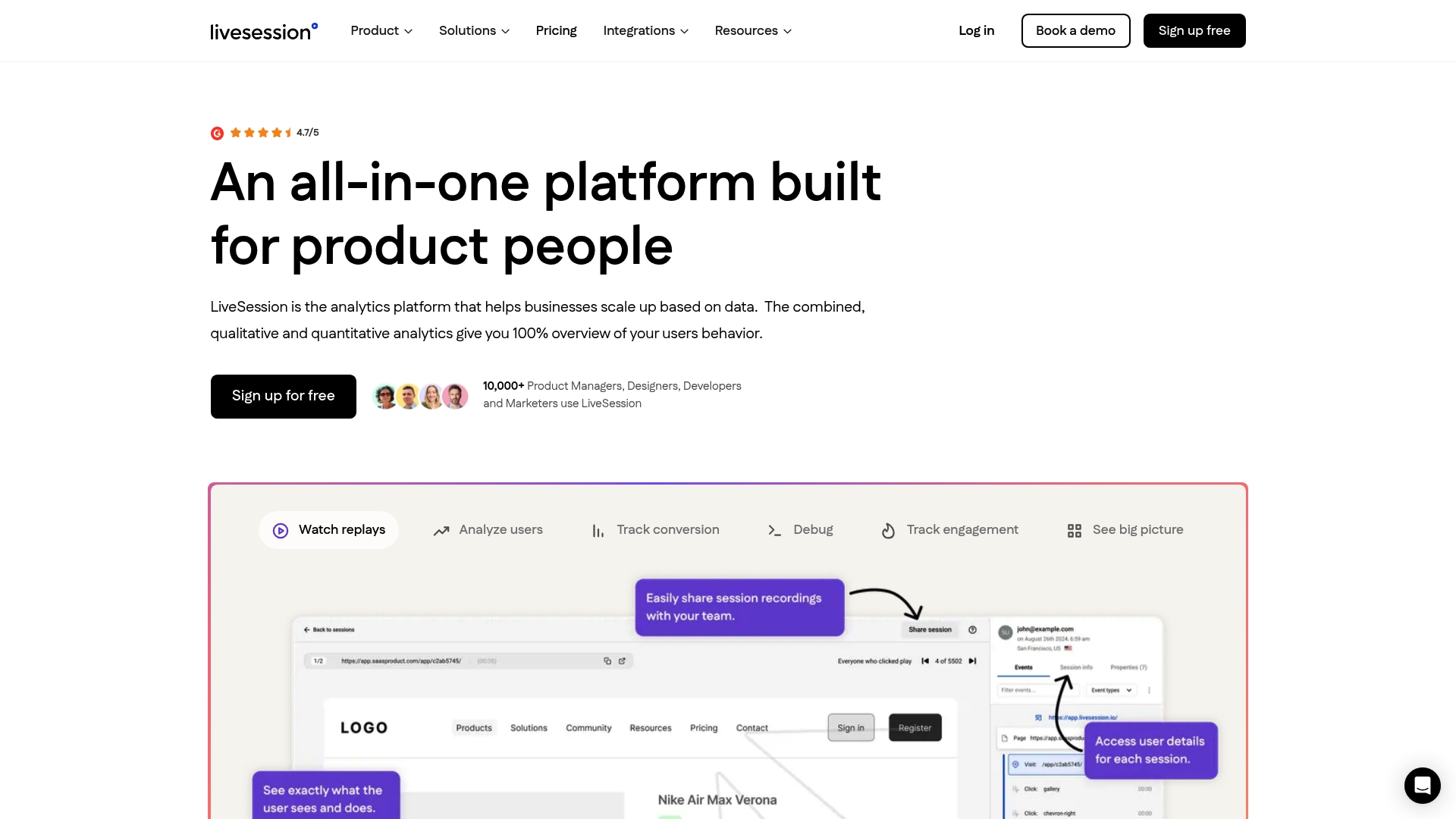
A typical workflow starts with session replay: Livesession records real user sessions so product managers can watch exactly what happened before a user abandoned an onboarding flow or skipped a feature. Watching the session, you see the user click a button that does nothing, hesitate, and leave. That is a fixable bug, not a retention problem.

From there, heatmaps show aggregate click and scroll patterns across a page, surfacing dead zones and unexpected interaction hotspots. Conversion funnels quantify where users exit a defined flow, so you can prioritize which friction points to fix first. Error tracking flags JavaScript errors tied to specific sessions, so developers can reproduce bugs with full context rather than a vague support ticket.
Livesession integrates natively with Intercom and Zendesk, which means support agents can pull up the session replay for a user who filed a ticket. That cuts the back-and-forth of “can you describe what you were doing?” significantly. The Segment integration lets teams tie session data to their existing analytics pipeline without custom instrumentation.
On privacy: Livesession is built for GDPR and CCPA compliance. Sensitive fields are masked by default, personally identifiable information is excluded from recordings, and data residency options are available for teams with regional requirements. When you are evaluating any analytics SaaS, compliance posture is not a checkbox. It is a procurement blocker if the vendor cannot demonstrate it clearly.
Want to see where your users actually get stuck? Try Livesession and watch your first session replays within minutes of installing the script.
Trends shaping SaaS right now and what they mean for buyers
The SaaS market is not slowing down. Statista’s global SaaS spending forecasts show continued worldwide growth, and the product decisions vendors are making right now reflect where the money is going.
that 40% of enterprise applications will feature task-specific AI agents by 2026, up from less than 5% in 2025. That is not a gradual shift; it is a near-vertical adoption curve.
Here is what that means in practice for anyone evaluating SaaS products today:
AI agents embedded in workflows. Vendors are shipping AI that takes actions, not just surfaces suggestions. Ask vendors specifically about AI governance: what data does the agent access, who audits its decisions, and can you turn it off per workflow?
Vertical SaaS gaining ground. Industry-specific platforms are winning deals that horizontal tools used to own. If your workflow has regulatory requirements or domain-specific terminology, a vertical product often requires less configuration to reach the same outcome.
Low-code and no-code extensibility. Most SaaS products now expose visual automation builders so non-developers can build workflows. That lowers IT dependency but raises governance questions about who can connect what data to what system.
Privacy and compliance as a buying filter. GDPR enforcement actions and CCPA litigation have made data handling a board-level concern. Vendors without clear data processing agreements and audit logs are losing enterprise deals. Forrester data shows improving customer experience is a top business priority, and CX-focused SaaS tools that handle data responsibly are benefiting directly.
API ecosystems and composable stacks. Buyers are moving away from all-in-one suites toward best-of-breed tools connected by APIs. That makes integration documentation and API stability more important than ever. SaaS SEO and AI-driven marketing automation are also reshaping how vendors reach buyers, with AI handling more of the discovery and evaluation process.
Pricing model evolution. Usage-based pricing is replacing flat per-seat models in more categories. That aligns vendor incentives with customer value but makes budgeting harder. Build a usage forecast before you commit.
What I actually prioritize when evaluating SaaS
When I look at a new SaaS product, the first question is not “what can it do?” It is “what does it do to my data?” That single question surfaces more deal-breakers faster than any feature comparison.
Here is how I would structure the first 90 days with any new SaaS tool:
Days 1–30: Run your real workflow, not a sandbox scenario. Connect the integrations your team actually uses. Measure how long it takes a new user to reach their first meaningful outcome without help.
Days 31–60: Stress-test the support model. Submit a non-urgent ticket and a time-sensitive one. Check whether the response quality matches what was promised during the sales process.
Days 61–90: Audit data access. Pull a full export. Check what the API returns versus what the UI shows. If there is a gap, that gap is your lock-in risk.
The governance piece is easy to skip when a tool is working well. Do not skip it. Knowing which users have admin access, which integrations can read your customer data, and what your exit path looks like is not paranoia. It is the difference between a tool you own and a tool that owns you.
Sources
What is SaaS (Software as a Service)? Everything You Need to Know | Definition from TechTarget
What is SaaS? - Software as a Service Explained - AWS
Gartner predicts 40 percent of enterprise apps will feature task-specific AI agents by 2026
Related articles
Get Started for Free
Join thousands of product people, building products with a sleek combination of qualitative and quantitative data.