
Testing in Production: A Safe, Practical Playbook


Testing in production (TiP) means validating code against real users, real data, and real infrastructure instead of a simulated staging copy. The verdict up front: it’s appropriate when you already have solid observability and blast-radius controls in place, and it’s reckless when you don’t. Elite teams that deploy far more often than everyone else, documented at 182 times the frequency of low performers by DORA, lean on production testing to keep that pace reliable. Google’s SRE guidance treats structured logging, metrics, and distributed tracing as non-negotiable before you touch live traffic, and a platform like Livesession fits into that stack by giving teams a fast way to see what actually happened during a rollout.
Before you ship anything into live traffic, run this check:
-
Safe to proceed: You have logging, metrics, and tracing wired up, plus a kill switch or flag that can turn the change off in seconds.
-
Safe to proceed: Your blast radius is contained. A canary group, a single region, or an internal cohort sees the change first, not everyone.
-
Stop immediately: The test touches writes on regulated or personally identifiable data without anonymization or a compliance sign-off.
Quick stat: Teams with mature observability catch and diagnose production issues far faster than teams relying on logs alone, according to ContextQA’s analysis of testing-in-production trade-offs. That gap is the difference between a five-minute rollback and a multi-hour incident.
Key Takeaways
Testing in production works when observability and blast-radius controls exist first; skip either one and TiP becomes a gamble instead of a discipline.
| Point | Details |
|---|---|
| Verdict before action | Confirm logging, metrics, tracing, and a kill switch exist before routing real traffic to new code. |
| Start small, expand slowly | Use feature flags, then canaries at 1 to 5 percent, before ever reaching full rollout. |
| Define rollback triggers upfront | Set absolute and relative thresholds for error rate and latency before the test begins, not during it. |
| Know when to stop | Avoid TiP entirely when rollback is slow or the test touches non-anonymized regulated data. |
| Shift left and right together | TiP complements pre-production testing; it never replaces unit tests or staging. |
| Use replay tools to close the loop | Livesession pairs session replay with funnels and error tracking to speed up root-cause analysis during canary rollouts. |
Table of Contents
What Testing in Prod Actually Means
Testing in prod is not “skip QA and hope.” It’s a deliberate practice of validating specific behaviors, under controlled exposure, on your live system. Staging and user acceptance testing (UAT) try to approximate production. TiP tests the real thing, warts and all.
The differences matter more than most teams admit:
| Environment | Purpose | Data | Traffic fidelity | Typical techniques |
|---|---|---|---|---|
| Staging | Catch bugs before release | Synthetic or scrubbed | Low, simulated load | Unit tests, integration tests |
| UAT | Confirm business requirements | Curated test data | Low, manual scripts | Scripted user walkthroughs |
| Production | Validate real-world behavior | Live, real user data | Full, unpredictable | Canaries, feature flags, shadowing, synthetic monitoring |
Staging will never replicate a flaky third-party API, a mobile carrier throttling requests, or a customer running a five-year-old browser. Production has all of that, which is exactly why it exposes bugs staging never will.
A few misconceptions keep teams from adopting TiP responsibly. The biggest one: “testing in prod” is often repeated as a joke meaning “we skipped testing entirely.” That’s not what disciplined teams do. Another myth is that every production test is visible to users. Most aren’t. A canary release routes a small percentage of traffic to new code. A feature flag lets you toggle functionality on or off without redeploying. A dark launch ships code to production but keeps it hidden from users while you watch how it behaves. Shadowing (or traffic mirroring) sends a copy of real requests to a new system without ever returning its response to the user. None of these expose broken functionality to your customer base by default.
Why Teams Test in Production Anyway
You get validation in production that nothing else can give you: real workload patterns, the actual mix of devices and browsers your users show up with, and the true behavior of every downstream dependency you don’t control. No staging environment replicates a payment provider’s rate limiting under Black Friday load. Production does, automatically, whether you want it to or not.
The velocity case is hard to ignore. DORA’s research found elite teams deploy 182 times more frequently than low performers, and production-testing discipline is part of how they keep that pace from turning into chaos. Speed and safety aren’t opposites here. They’re the same muscle.
TiP doesn’t replace your unit tests, integration suites, or staging environment. It extends them. Think of it as shifting your testing strategy in two directions at once: shift left with better pre-production checks, and shift right by validating in production once code ships. Software Testing Front’s guide to production testing frames this well: production testing catches what staging structurally cannot, because staging never carries real user data or real infrastructure quirks. Skipping pre-production work and calling it TiP isn’t a strategy. It’s a gap.
Which Production Testing Techniques Should You Use?
Pick the technique that matches your risk tolerance and what you’re trying to learn. Here’s a practical adoption order, roughly cheapest and safest first:
-
Feature flags toggle a feature on or off for specific users without a redeploy. Best for de-risking any release. The main risk is flag debt if you never clean them up. Pick this when you want an instant kill switch on anything new.
-
Canary releases route a small slice of traffic, often 1 to 5 percent, to the new version before wider rollout. Best for catching regressions before they hit everyone. Risk: a canary group that isn’t representative of your full user base can hide problems. Pick this for any backend change that affects core functionality.
-
Synthetic monitoring runs scripted transactions against production continuously, simulating a user logging in or checking out. Best for catching availability regressions fast, even with zero real traffic. Risk: synthetic checks miss anything outside the scripted path. Pick this to protect your most critical user journeys around the clock.
-
Dark launches and shadowing ship code live but keep it invisible to users, either by hiding the feature or mirroring real traffic to it without returning the response. Best for validating a new system’s behavior against real load before it matters. Risk: shadowing infrastructure adds complexity and can double your request volume. Pick this when replacing a critical backend service.
-
Chaos engineering and fault injection deliberately break things (kill a service, add latency, drop a dependency) to see how the system responds. Best for confirming your circuit breakers and failover actually work. Risk: real, unrecoverable outages if you don’t already have resilience primitives in place. Microsoft’s guidance is explicit that chaos experiments belong only in systems with proven circuit breakers and graceful degradation already built. Pick this only after your architecture can survive the experiment you’re about to run.
Notice the pattern: complexity and risk climb as you move down the list. Feature flags require almost no infrastructure investment. Chaos engineering requires an architecture that can absorb a punch. A simple ASCII progression captures the idea: flag → canary → synthetic checks → shadow traffic → chaos test, with each stage gated by the one before it.
What Can Go Wrong When You Test in Production
The risks of testing in production are concrete, not theoretical. Silent data corruption is the worst one: a bug that writes malformed records doesn’t announce itself with an error. It just sits there until a customer complains weeks later, or until a downstream report breaks. A circuit breaker that should trip but doesn’t turns a single failing dependency into a full outage. A feature flag misconfigured to the wrong percentage or the wrong cohort can expose a half-finished feature, or a security bug, to exactly the customers you meant to protect.
Cascading failures deserve their own mention because they’re the failure mode that turns a small test into a headline. Picture a canary release that adds one extra database call per request. At 2 percent of traffic, nobody notices. A dashboard misreads the load and auto-scales the canary tier to 50 percent. Suddenly the database is fielding 25 times the connection load it planned for, connection pools exhaust, and now the entire service is down, not just the canary. Nothing about that started as a big risk. It became one because nobody capped the blast radius.
The core discipline behind safe production testing isn’t the tooling. It’s deciding, in advance, exactly how far a failure is allowed to spread before a human or a script pulls the plug.
For regulated data, the risk calculus changes entirely. Testing that touches health records, financial account data, or anything covered by privacy law needs a compliance review before it runs, not after something breaks. Anonymize or synthesize wherever you can, and if you can’t, loop in legal or compliance before the test, not during the incident review.
Observability Prerequisites: What You Need Before You Test
Five things need to exist before you route real traffic to unproven code: structured logging, quantitative metrics, distributed tracing, defined SLOs with working alerts, and a kill switch you can pull in seconds. Skip any one of these and you’re not testing in production, you’re gambling in production.
Google’s SRE guidance names logging, metrics, and tracing as the three required observability layers, and for good reason: each answers a different question during an incident. Logs tell you what happened on a specific request. Metrics tell you the aggregate shape of the problem. Tracing tells you where in a distributed call chain the time or the error actually occurred.
| Observability artifact | What it measures | Why TiP needs it | Example to run post-deploy |
|---|---|---|---|
| Structured logging | Discrete events with context | Lets you reconstruct exactly what a failing request did | Query logs filtered by the new feature flag’s ID |
| Metrics (RED/USE) | Rate, errors, duration; resource saturation | Shows aggregate health trends in real time | Watch error rate and p95 latency on the canary tier |
| Distributed tracing | Request path across services | Pinpoints which service in the chain caused a slowdown | Trace a slow canary request end to end |
| SLOs and alerts | Defined acceptable thresholds | Converts raw metrics into a rollback trigger | Alert fires if error budget burns 2x faster than normal |
| Kill switch / flag control | Instant on/off for the change | Lets you stop the test without a redeploy | Flip the flag off, confirm traffic reverts within seconds |
Here’s how those pieces chain together into an actual decision: if your p99 latency crosses a defined SLO threshold for more than five minutes, that’s your signal to halt the canary. If your error rate crosses two times the baseline, that’s an automatic rollback, no human debate needed. Mapping metric to threshold to action before the test starts is what turns observability from a dashboard nobody watches into an actual safety system.
How Do You Govern Feature Flags and Rollouts Safely?
Governance matters as much as the tooling itself. A team with perfect canary infrastructure and no ownership model for feature flags will still end up with a codebase full of dead toggles nobody remembers creating.
A rollout plan that scales risk responsibly usually looks like this:
-
Deploy the change dormant behind a feature flag, visible to nobody. This decouples deployment from release entirely, which feature-flag best practices treat as the single most important architectural habit for safe TiP.
-
Enable the flag for an internal cohort only, your own team or a small beta group, and watch dashboards for at least one full deployment cycle.
-
Expand to a small canary tier, typically 1 to 5 percent of real traffic, with automated rollback wired to your SLO thresholds.
-
Widen to a broader regional or demographic cohort once the canary tier holds steady for a defined monitoring window, often 24 to 48 hours depending on traffic volume.
-
Roll out fully, then keep monitoring for at least one more full cycle before considering the rollout “done.”
Flags themselves need a lifecycle or they rot into permanent complexity:
-
Assign a clear owner to every flag at creation time, not after it’s already forgotten.
-
Adopt a naming standard that states the feature, the team, and the creation date.
-
Set a time-to-live (TTL) on every flag, and put expired flags on a removal backlog automatically.
-
Audit active flags on a fixed cadence, monthly for high-traffic systems, quarterly for smaller ones.
-
Require an explicit removal step once a flag reaches 100 percent rollout. Nothing lives behind a flag forever.
CloudBees’ guidance on progressive delivery makes the same point from a different angle: feature flags reduce risk only when the organization already has the deployment maturity to manage them. Tooling without governance just moves the risk somewhere less visible.
When You Should Not Test in Production
Stop and reconsider if you can’t detect a problem and roll it back within your mean time to repair (MTTR) target, or if the test touches non-anonymized regulated data. Those two conditions override almost everything else in this article.
A simple risk matrix clarifies the decision. Plot potential impact against your ability to roll back quickly. Low impact with fast rollback is the sweet spot for TiP, run the test. High impact with fast rollback is workable if you cap the blast radius tightly and watch it closely. Low impact with slow rollback needs caution but usually isn’t fatal. High impact combined with slow rollback is where you stop entirely and test somewhere else first.
Three contexts where TiP is usually the wrong call:
-
Medical device software or clinical decision systems, where a bug can affect patient safety and rollback doesn’t undo harm already done.
-
Critical finance settlement systems, where a bad transaction can propagate through downstream ledgers before anyone notices.
-
Bulk data migrations that write personally identifiable information, where a rollback can’t retroactively un-expose data that already leaked.
If you’re weighing an incident from the other direction, it’s worth reading how badly things can go when guardrails aren’t there. One striking case involved a coding agent that wiped a production database during an active code freeze, a reminder that automation without blast-radius limits is its own risk category entirely.
A Step-by-Step Checklist for Your Next Deploy
Run through this sequence the next time you’re ready to validate something on live traffic:
-
Confirm logging, metrics, and tracing are wired for the specific code path you’re changing, not just the service in general.
-
Define your rollback triggers before deploying: an absolute error rate ceiling (say, 1 percent), a relative spike threshold (2x baseline), and a latency ceiling for p95 and p99.
-
Wrap the change in a feature flag, deployed dormant, visible to nobody yet.
-
Run a smoke test immediately after deploy, hitting your core user journeys (login, checkout, whatever matters most) to confirm nothing is structurally broken.
-
Enable the flag for an internal cohort and watch dashboards for a full cycle before going further.
-
Open the canary to 1 to 5 percent of real traffic, with automated rollback tied to the thresholds you set in step two.
-
Watch conversion funnel health alongside error rate and latency. A feature that’s technically “up” but tanking checkout completion is still a failed test.
-
Expand gradually, region by region or cohort by cohort, holding each tier for a defined monitoring window.
-
Once fully rolled out, keep the flag alive briefly as an emergency kill switch, then schedule its removal.
Decide ahead of time who owns the call to widen the canary and who’s authorized to pull the rollback trigger. That should never be a debate that happens live during an incident. Write it down before you start.
How Session Replay and Error Tracking Support Production Testing
Session replay and error tracking close the loop between “a metric moved” and “I know exactly why.” A dashboard tells you error rate spiked at 2:14 PM. It doesn’t tell you which user flow broke, what the user clicked right before the error, or whether it’s one edge case or a pattern. That’s the gap session replay fills.

The workflow looks like this: a metric anomaly fires an alert, you pull up session replays filtered to the affected cohort or flag, watch what the user actually did right before the failure, trace it to the specific code path, ship the fix, then validate against the next batch of sessions to confirm it’s actually resolved. That loop, from alert to root cause, is often the slowest part of any incident response, and it’s the part tooling can compress the most.
What you actually need for effective TiP triage:

-
Session replay filtered by feature flag, cohort, or error event, not just a raw firehose of every session.
-
Event funnels that show exactly where users drop off during a canary rollout, not just whether the service returned a 200.
-
Per-user traces that connect a specific session to the backend request it triggered.
-
Privacy-safe masking or anonymization applied automatically to sensitive fields, so replay data doesn’t become a compliance liability.
-
Fast search across logs, traces, and sessions together, so you’re not context-switching between five tools during an active incident.
Pro Tip: Mask every input field that could contain PII by default, sample replay capture rather than recording 100 percent of sessions, and get explicit opt-in consent where your jurisdiction requires it. Privacy-safe session capture isn’t a limitation on TiP, it’s what lets you run production tests on real user data without turning a bug fix into a compliance incident.
Why “I Test in Prod” Isn’t a Confession, It’s a Stance
Saying you test in production used to sound like an admission of sloppy engineering. It shouldn’t. Done with the right observability and the right blast-radius controls, it’s one of the more disciplined things a team can do, because it forces you to define, in writing, exactly how you’ll know something broke and exactly how you’ll stop it.
Day to day, this means watching dashboards and session replays with the same seriousness most engineers reserve for code review. A metric spike at 3 PM on a Tuesday deserves the same attention as a failing test in CI. The habit isn’t glamorous. It’s just consistent.
The tension every team faces is between velocity and safety, and the honest answer is that you don’t pick one. You build the guardrails that let you have both. A canary rollout that gets pulled back within ninety seconds of an error-rate spike isn’t a failure story, it’s the system working exactly as designed, the kind of quiet save that never makes it into a postmortem because there was nothing left to mourn.
Diagnose Production Issues Faster with the Right Tooling
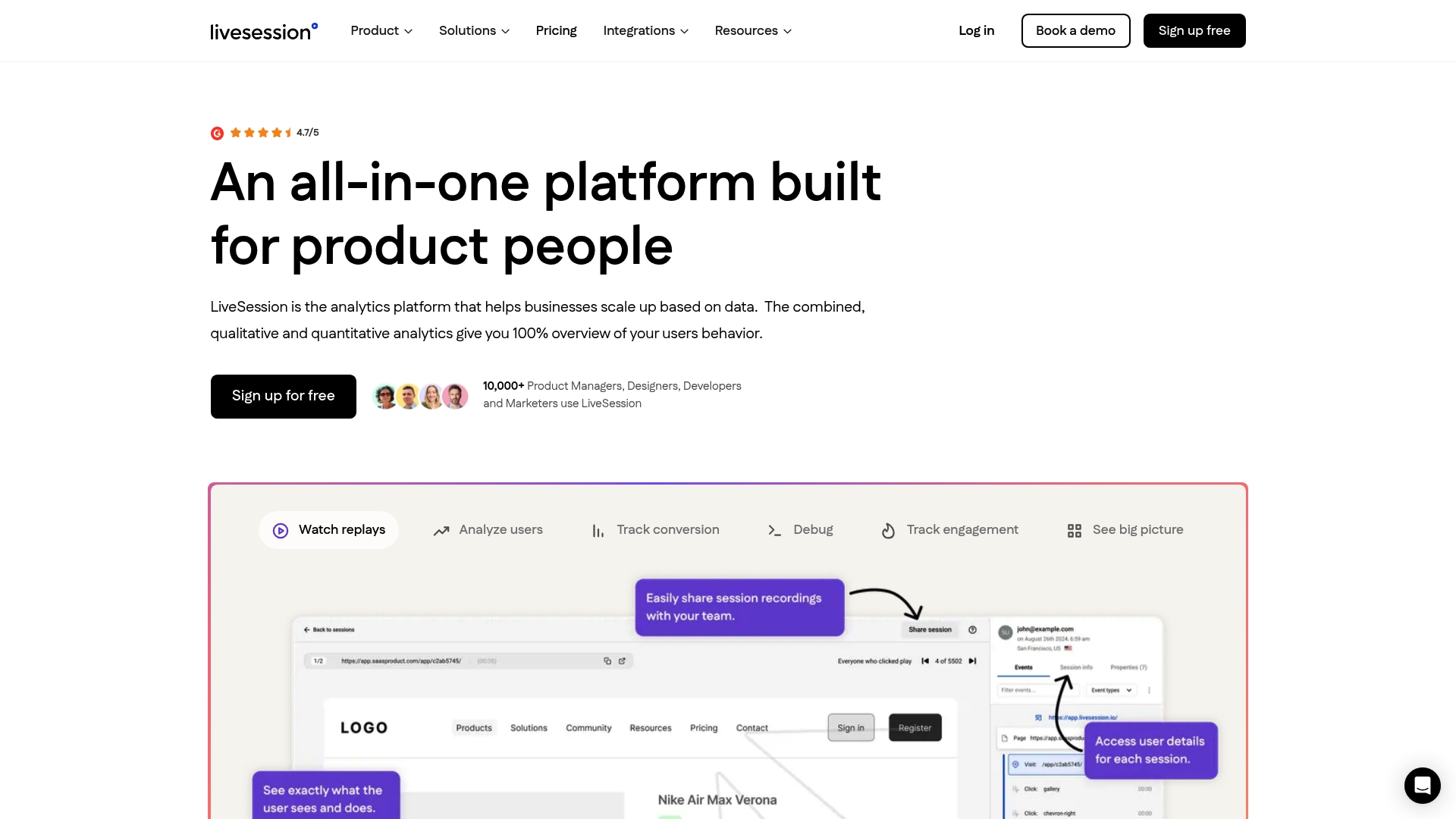
Livesession helps teams close the loop between a metric anomaly and the actual root cause, without waiting on a support ticket to explain what a user saw. When a canary rollout trips an alert, session replay shows you exactly what happened on screen instead of leaving you to guess from a stack trace alone.
For teams running feature flags and canary releases, the capabilities that matter most are:
-
Session replay filtered by user segment, so you can isolate exactly who hit the new code path.
-
Conversion funnels that flag where a rollout is quietly hurting completion rates, not just where it’s throwing errors.
-
Error tracking tied to real session context, so a stack trace comes with the user journey that triggered it.
-
Privacy-compliant capture with masking built in, aligned with GDPR and CCPA, so production testing on real user data doesn’t become a compliance problem.
-
Integrations with tools like Intercom, Zendesk, Shopify, and Segment, so replay data sits alongside the support and analytics tools your team already uses.
If your next canary release needs a faster way to see what real users experienced, start with Livesession and see how quickly a session replay turns a vague alert into a specific fix.
Frequently Asked Questions About Testing in Prod
Is testing in prod the same as skipping QA? No. Testing in prod is a controlled, monitored practice layered on top of pre-production testing, not a replacement for unit tests or staging.
What’s the minimum tooling needed to start testing in production safely? Structured logging, metrics, distributed tracing, defined SLOs with alerts, and a feature flag or kill switch you can toggle instantly.
Can small teams realistically test in production, or is this only for large engineering organizations? Small teams can start with just feature flags and a canary tier; the practice scales with your traffic, not your headcount.
How is testing in production different from chaos engineering? Chaos engineering is one advanced technique within TiP that deliberately injects failures; it should only run once resilience primitives like circuit breakers already exist.
Does testing in production violate user privacy? Not if you mask personally identifiable information, sample rather than capture everything, and get consent where your jurisdiction requires it.
Sources
Related articles



Get Started for Free
Join thousands of product people, building products with a sleek combination of qualitative and quantitative data.