
June.so Shutdown: What Happened and How to Migrate? Best June.so alternatives

The june.so shutdown caught many product teams by surprise. If you relied on June for simple product analytics and session tracking, you're now searching for a june.so alternative that delivers the same ease of use without enterprise complexity.
What happened to June? In July 2025, June's founders announced they were joining Amplitude, effectively ending June's standalone service on August 8, 2025. Industry analysts describe this as an acqui-hire by Amplitude, with Amplitude's CEO specifically praising June's 2-minute setup-highlighting that June's simplicity was its biggest selling point.
Why this matters for your team. June offered something rare: instant product insights without the learning curve. Now that June is gone, teams need a june analytics alternative that preserves that simplicity while adding deeper behavioral context.
This guide shows you how to migrate from june.so to LiveSession, a platform that combines June-like ease with powerful session replay and error tracking capabilities.
Why Teams Loved June.so (And Why the Shutdown Hurts)

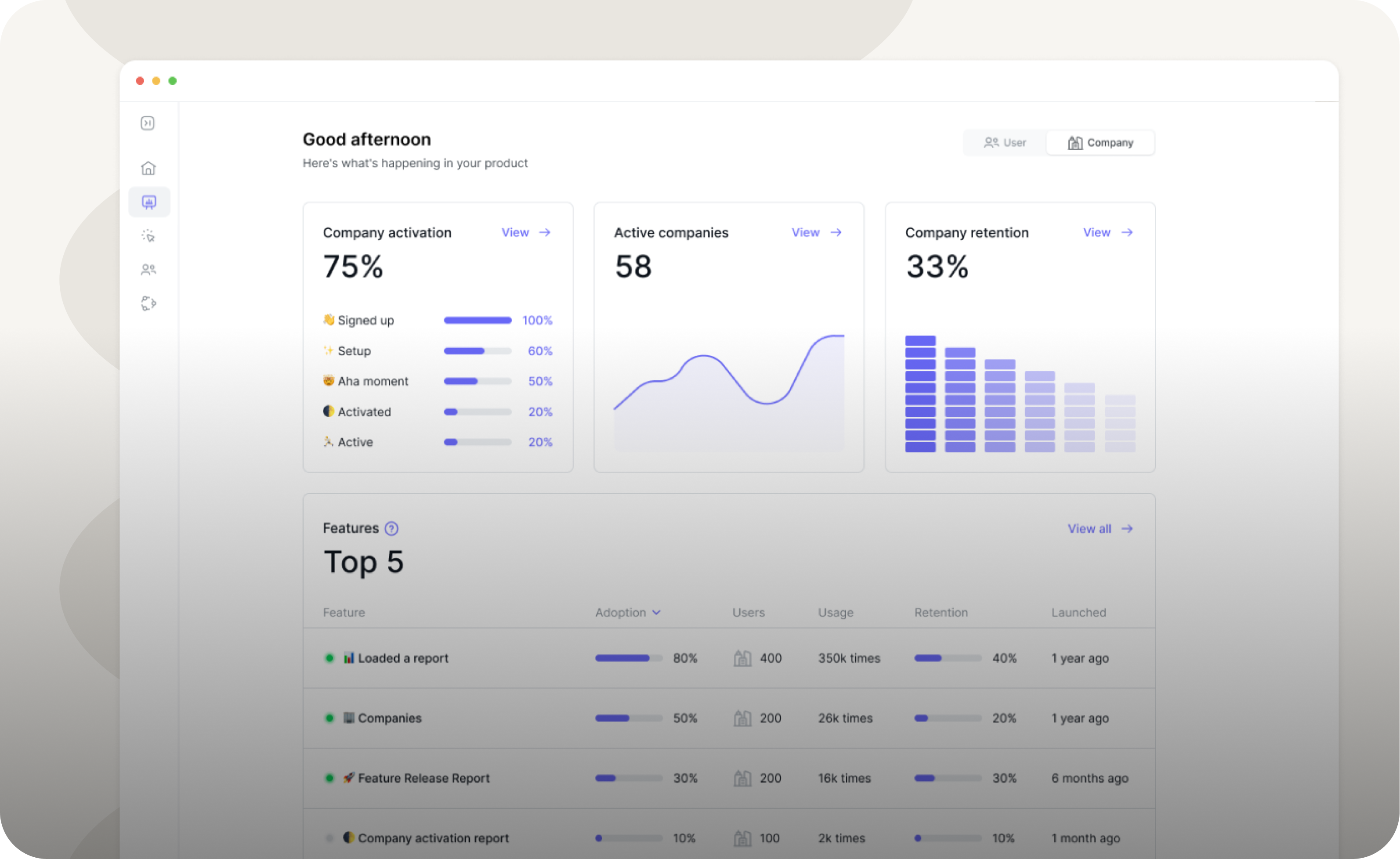
Automatic metrics without configuration. June automatically tracked active users, retention curves, and power user segments the moment you connected your data source. No dashboard building required.
AI-powered insights in plain English. June AI let teams ask questions in natural language and get instant analytics reports-no SQL knowledge needed. This made product data accessible to everyone, not just analysts.
Company-level analytics out of the box. June automatically grouped users into companies using email domains, showing account-level behavior without custom setup work.
Two-minute setup that actually worked. Connect via Segment or SDK, and June started delivering insights immediately. This simplicity made it perfect for early-stage SaaS teams who couldn't afford complex analytics infrastructure.
The Amplitude acquisition changes everything. While Amplitude is powerful, it's also significantly more complex than June. Many June users specifically chose it because they didn't want enterprise-grade complexity. The june.so shutdown leaves these teams searching for alternatives that match June's philosophy.
June.so vs LiveSession: Feature Comparison
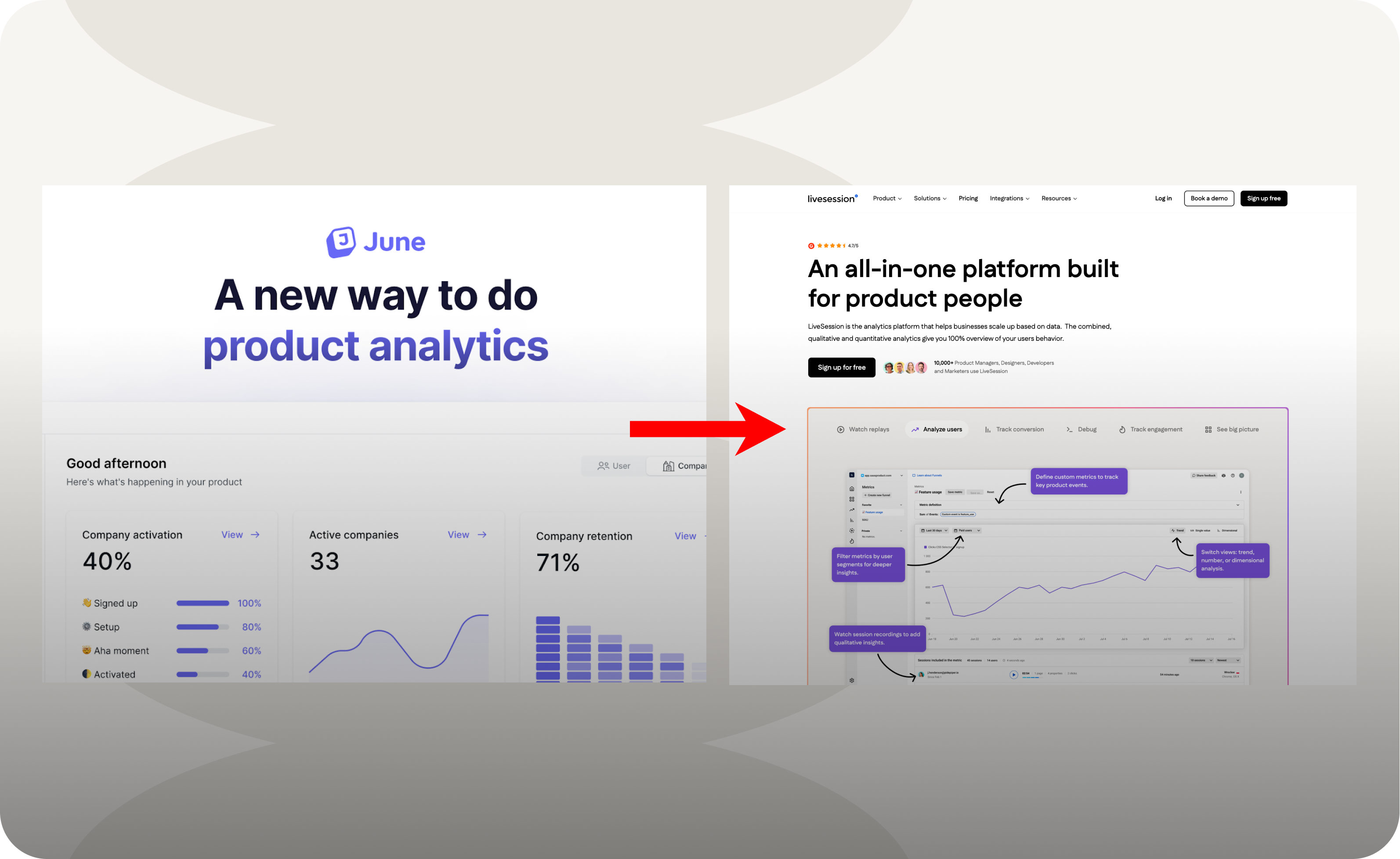
Core product analytics:
- June: Automatic metrics for SaaS teams (active users, retention, power users)
- LiveSession: Custom metrics and dashboards tied directly to session data-more flexible than June's preset reports
Company and account analytics:
- June: Auto-generated company profiles based on email domains
- LiveSession: Upcoming Users & Companies tab to organize analytics around accounts (rolling out soon)
Funnels and behavior tracking:
- June: Templates for retention and conversion metrics
- LiveSession: Funnels plus session replay to reveal why drop-offs happen, not just that they occurred
Qualitative UX insights:
- June: Primarily quantitative metrics-no session playbacks
- LiveSession: Full session replays, heatmaps, and clickmaps for UX research and debugging
Integrations and alerts:
- June: Slack integrations for daily metrics and milestones
- LiveSession: Alerts about any custom events happening in your project delivered to your Slack channels with session context attached
The key difference: June excelled at automatic, quantitative metrics. LiveSession matches that capability while adding qualitative context through session recordings, making it easier to understand the "why" behind your numbers.
What Makes LiveSession the Best June.so Alternative
.png)
LiveSession fills the gap June left by combining simple setup with deeper behavioral insights. Here's why it works as a june analytics alternative:
Clean interface, minimal complexity. LiveSession delivers a clean UI and intuitive experience that won't overwhelm your team with settings and menus. Like June, it's designed for product people, not data scientists.
Qualitative + quantitative analytics together. While June showed what users did, LiveSession shows why through session replays. Watch actual user sessions to understand behavior patterns, then validate with metrics and funnels.
Fast setup that rivals June. LiveSession markets itself as offering powerful analytics without complexity. Install the tracking snippet and start seeing session recordings and events within minutes-matching June's ease of deployment.
Product analytics built in. Track feature adoption, DAU, conversion funnels, and custom metrics just like June. But unlike June, you can click through to watch the actual user sessions behind any metric.
Developer-friendly debugging tools. LiveSession includes console logs, network requests, and JavaScript error tracking in session context. This goes beyond June's capabilities, helping developers fix issues faster.
Migrate from June.so to LiveSession: Step-by-Step Guide
Unfortunately, you cannot import from june into any other tool. June offered no native export for historical event data, so you'll start fresh with LiveSession. Here's how to make the transition smooth:
Step 1: Create Your LiveSession Project
Sign up and get your tracking key. Visit LiveSession and create a new account. Follow the onboarding steps.
Step 2: Install the LiveSession Tracking Code
Remove June scripts first. Delete all June SDK code and script tags from your site. This prevents conflicts and ensures clean data collection.
Choose your installation method. LiveSession offers two main approaches depending on your setup:
Visit this page to learn more about the setup
Step 3: Identify Users and Set Custom Properties
Tag users with identifying information. After initialization, call identification methods to link sessions with known users.
Visit this page to learn more about the setup
Attach custom metadata. Use ls.setCustomParams({...}) to add user properties like subscription plan, company name, or user role. This works exactly like June's user properties and helps segment sessions later.
Why this matters. Identifying users lets you filter recordings by customer segment, track specific accounts, and see complete user journeys across sessions.
Step 4: Replace June-Specific Integrations
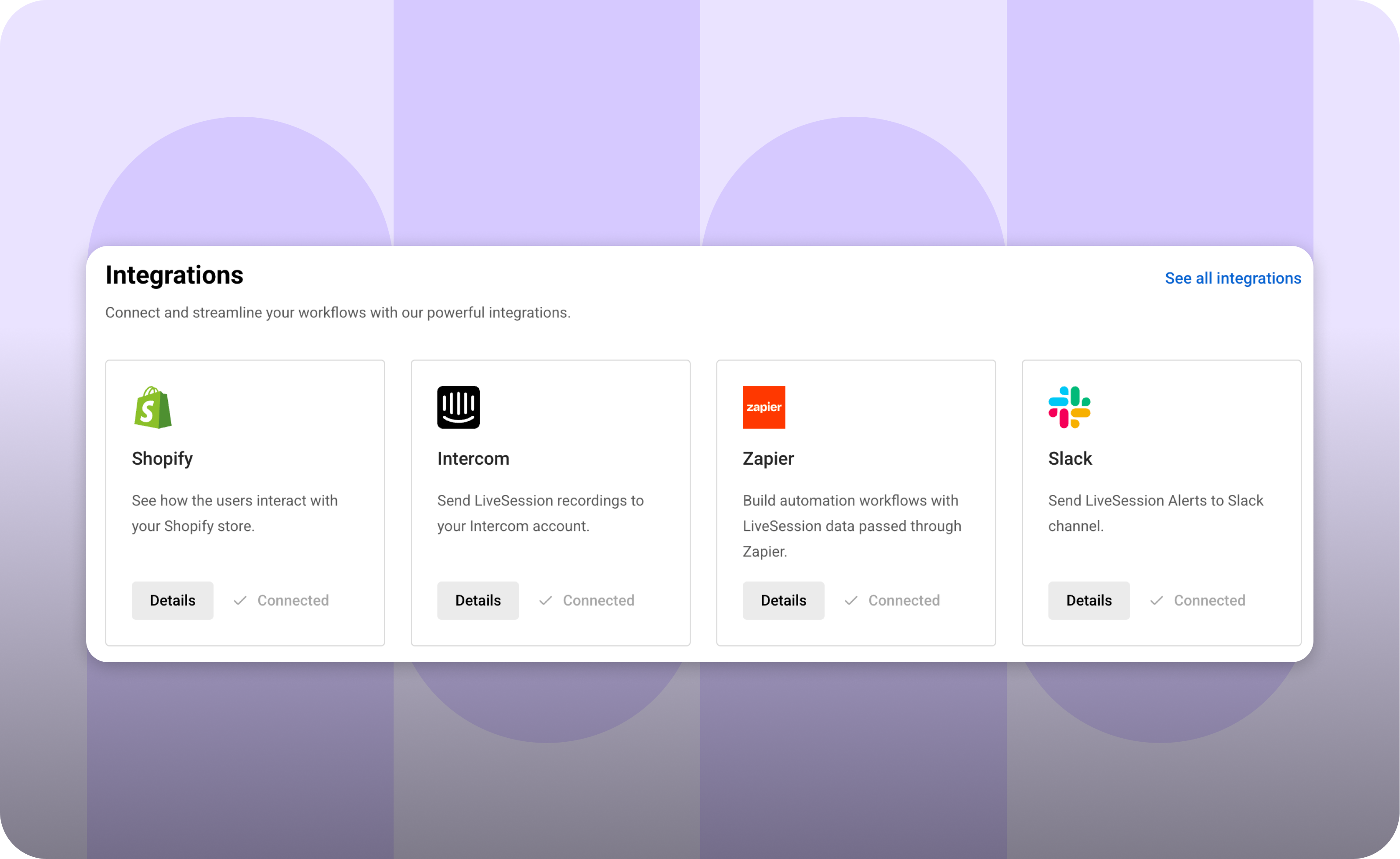
Update data pipelines. If you send events to June via Segment, Mixpanel, or similar tools, redirect those streams to LiveSession or use LiveSession's native integrations.
Verify no June remnants remain. Check your site thoroughly to ensure no old June scripts are still executing. This prevents duplicate tracking and potential performance issues.
Step 5: Rebuild Key Dashboards and Funnels
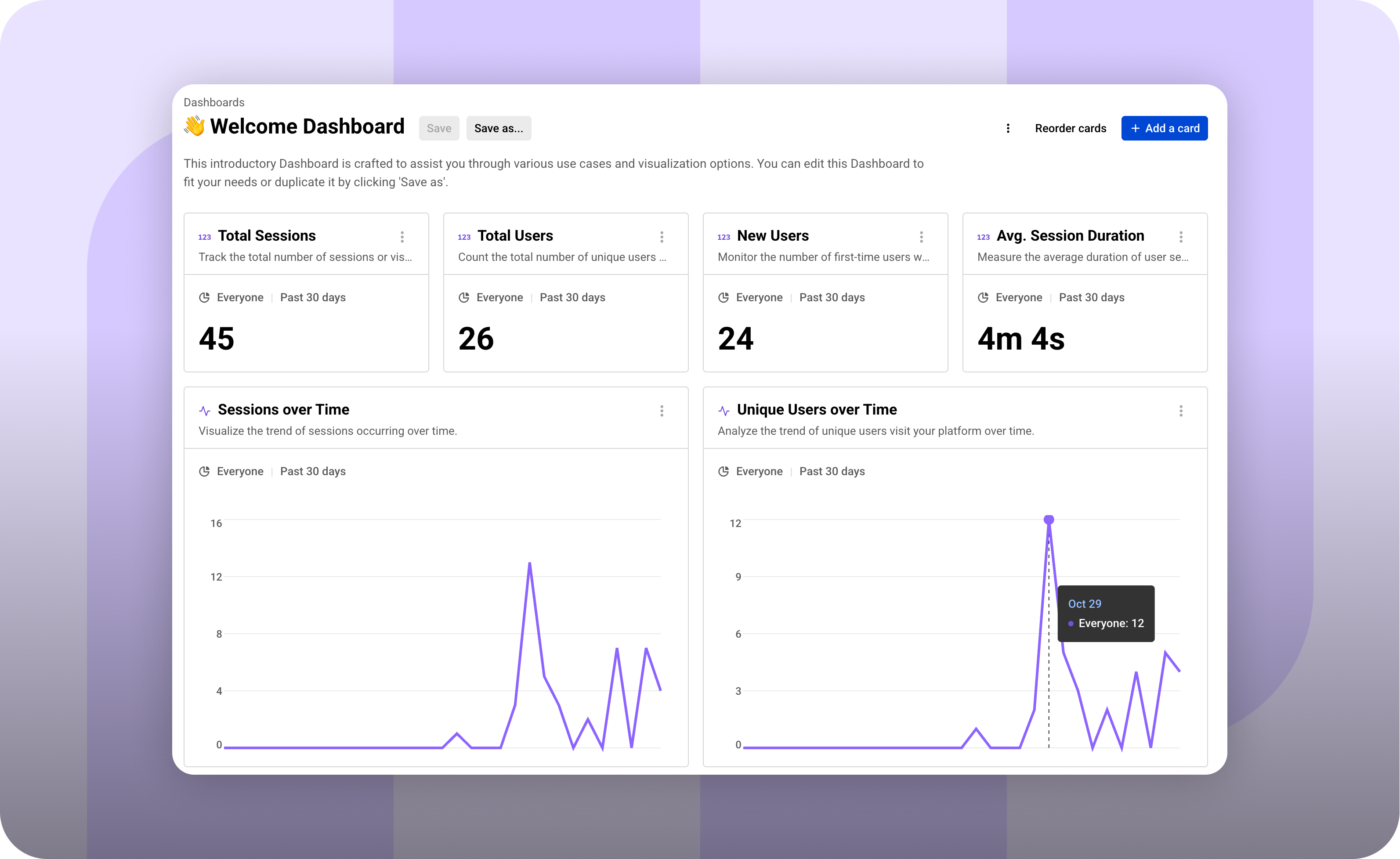
Start with preset templates. LiveSession provides a Welcome dashboard for common metrics like DAU, conversion rates, and engagement scores-similar to June's automatic reports.
Recreate your critical funnels. Build the conversion funnels you tracked in June using LiveSession's funnel builder. The advantage: you can now watch session replays of users who dropped off at each step.
Set up alerts for key events. Configure Slack notifications or webhooks for important user actions, giving your team real-time visibility like June's integrations provided.
Step 6: Test and Verify Data Collection
Deploy your changes to production. Push the LiveSession code live and monitor your dashboard for incoming data.
Test with your own browsing. Visit your site and perform typical user actions. Within minutes, you should see your session appear in the LiveSession dashboard with full interaction recording.
Confirm event tracking works. Check that custom events fire correctly and user properties attach as expected. LiveSession captures clicks, scrolls, page views, and errors automatically-often with more detail than June provided.
What to Expect After Migrating from June.so
Immediate session capture. Once LiveSession is live, it starts recording user sessions instantly-capturing every click, scroll, form interaction, and page view just as June tracked events.
Richer debugging context. Unlike June, LiveSession includes console logs, JavaScript errors, and network requests in each session. This helps developers identify and fix issues faster than metrics alone could.
Faster time to insights. LiveSession emphasizes quick setup with a clean interface that gets teams productive in minutes. You won't spend days configuring dashboards like you might with enterprise tools.
No hidden complexity. LiveSession maintains transparent pricing with unlimited projects and clear feature tiers, so you won't encounter surprise limitations as your usage grows.
Team collaboration built in. Share session recordings directly with teammates, add comments, and use LiveSession's inspect mode to annotate specific user interactions-making cross-functional collaboration smoother than relying on metric screenshots alone.
Why LiveSession Works as Your June Analytics Alternative

It preserves June's philosophy. Both tools believe product analytics should be accessible to everyone on the team, not just data specialists. The difference is LiveSession adds behavioral depth through session replay.
It's built for product people. LiveSession targets product managers, designers, and developers with tools that answer both "what happened" (metrics) and "why it happened" (replays).
Setup remains simple. Like June's 2-minute installation, LiveSession gets you running quickly. The documentation provides clear examples for JavaScript, React, Angular, Next.js, and other frameworks-all using the same straightforward ls.init() pattern.
Privacy comes standard. LiveSession is GDPR and CCPA compliant with content anonymization enabled by default, protecting user privacy without extra configuration.
The verdict. If you loved June for its simplicity but need to migrate from june.so, LiveSession delivers similar ease while adding the qualitative insights that help you truly understand your users. The june.so shutdown doesn't mean sacrificing simple, effective product analytics-it's an opportunity to upgrade to a platform that shows you both the numbers and the stories behind them.
Getting Started with LiveSession Today
Create your free account at LiveSession and generate your tracking key in minutes.
Install the snippet following the quick start guide for your specific framework or use the universal HTML approach.
Watch your first session replay within minutes of deployment and start building the funnels and dashboards you relied on in June.
The june.so shutdown may have disrupted your analytics workflow, but LiveSession offers a compelling path forward-one that combines June's simplicity with deeper insights into user behavior. For teams that valued June's low-friction approach to product analytics, this june analytics alternative delivers on that promise while preparing you for more sophisticated analysis as you grow.
Why did June.so shut down?
June.so shut down because its founders joined Amplitude in what industry analysts call an acqui-hire. Amplitude acquired the team rather than the product, and June officially ceased operations on August 8, 2025. While Amplitude's CEO praised June's simplicity and 2-minute setup, the company decided to wind down June's standalone service rather than maintain it as a separate product.
Can I export my historical data from June.so?
Unfortunately, no. June.so did not provide any native export functionality for historical event data or analytics. You cannot import from june into LiveSession or any other analytics platform. When you migrate from june.so, you'll need to start collecting fresh data with your new analytics tool. This means rebuilding dashboards and funnels from scratch, though the setup process with LiveSession takes only minutes.
What's the best june.so alternative for small teams?
LiveSession is the best june.so alternative for small teams because it preserves June's core philosophy of simplicity while adding deeper insights. Like June, LiveSession offers quick setup, clean UI, and automatic event tracking. The key advantage is session replay functionality that helps you understand why users behave certain ways, not just what they do. LiveSession also provides transparent pricing with unlimited projects, making it ideal for growing teams.
How long does it take to migrate from June.so to LiveSession?
Migrating from june.so to LiveSession typically takes 30-60 minutes for most teams. The process involves removing June's tracking code, installing the LiveSession snippet, and rebuilding key dashboards or funnels. Since you cannot import historical data from June, there's no data migration step. Once you deploy LiveSession's code, you'll start seeing session recordings and analytics within minutes.
Is LiveSession more complex than June.so?
No. LiveSession is designed with the same simplicity philosophy as June. While it offers more features (session replay, heatmaps, error tracking), the interface remains clean and intuitive. You don't need to use advanced features immediately—start with basic session recording and metrics, then explore deeper functionality as your needs grow. The learning curve is minimal, with most teams productive within their first session.
What happens if I don't migrate from June.so?
If you don't migrate from june.so, you'll lose all product analytics visibility. Your historical June data will no longer be accessible, and you won't be able to track user behavior, measure feature adoption, or monitor conversion funnels. Finding a june analytics alternative like LiveSession ensures you maintain continuous insight into your product's performance without gaps in data collection.
Does LiveSession integrate with Slack like June did?
Yes. LiveSession supports Slack integration through alerts and webhooks. You can configure notifications to send important user events, conversion milestones, or error alerts directly to Slack channels. While the implementation differs slightly from June's daily metric push, LiveSession's Slack integration keeps your team informed about critical user behaviors in real-time with links to relevant session recordings.
Is LiveSession GDPR compliant?
Yes. LiveSession is fully GDPR and CCPA compliant with automatic content anonymization enabled by default. The platform provides privacy controls for masking sensitive data, managing user consent, and handling data deletion requests. Unlike some analytics tools, LiveSession prioritizes privacy without requiring extensive configuration, making compliance straightforward for teams in regulated industries.
How much does LiveSession cost compared to June.so?
LiveSession offers transparent pricing with a free tier for small projects and paid plans that scale with your usage. While June.so had simple pricing, LiveSession provides unlimited projects across all plans and clear feature differentiation. Most teams migrating from June find LiveSession's pricing competitive, especially considering the additional capabilities like session replay and error tracking that June didn't offer.
Related articles


Get Started for Free
Join thousands of product people, building products with a sleek combination of qualitative and quantitative data.