
Customer Insight Platform for Product Teams That Delivers in 30 Days

A customer insight platform unifies qualitative signals (session replay, feedback, survey responses) with quantitative analytics (events, funnels, cohorts) into one system that product and UX teams can act on. The one rule that matters when comparing options: prioritize platforms that connect session-level detail to behavioral data and plug into your existing stack, rather than treating either layer as optional. Vendors like Informatica frame this as the foundation for modern CX analytics, and it’s also the philosophy behind LiveSession’s own approach to product analytics.
What Are the Core Components of a Customer Insight Platform?
Every serious customer insights platform is built from four layers, and skipping any one of them creates blind spots that show up months later, usually during a leadership review nobody wants to walk into unprepared.
Data ingestion comes first. A platform needs SDKs for web and mobile, open APIs, and webhooks that pull in events from your product, your support desk, and your CRM without a six-week integration project. If a vendor’s onboarding timeline for basic data flow stretches past a few weeks, that’s a signal worth questioning during the sales call.
The qualitative layer is where most teams feel the biggest gap in their current stack. This includes session replay, heatmaps, annotated user feedback, and in-app surveys that capture the “why” behind a metric drop. Watching five real sessions of users abandoning a checkout flow tells you more in ten minutes than a week of speculation in a Slack thread.
The quantitative layer covers event analytics, conversion funnels, cohort analysis, and retention curves. This is the “what” and “how many” side. Numbers on their own rarely explain root cause, but paired with the qualitative layer, they tell you where to look first.
Synthesis and governance round things out. AI-assisted theme extraction and semantic search across feedback are increasingly standard, but the feature that actually separates a trustworthy platform from a black box is traceability. If an AI-generated insight can’t be traced back to the sessions or comments it came from, treat it with skepticism. On the compliance side, look for explicit GDPR and CCPA handling, clear data retention windows, and SOC2 documentation before you sign anything.
Here’s what a complete stack typically includes:
-
Connectors for support tools, e-commerce platforms, and CRM systems (Intercom, Zendesk, Shopify, Segment, and similar)
-
Session replay with filtering by error, rage clicks, or drop-off point
-
Heatmaps and click maps for visual engagement patterns
-
Funnel and cohort reporting tied to the same user identity as the session data
-
AI-assisted summarization with links back to source clips or comments
-
Configurable data retention and regional data residency options
An insight community platform can complement this stack for structured panel research, but it solves a different problem: it’s built for recruiting and surveying defined groups over time, not for capturing what every visitor actually does on your site.
What Benefits Does a Customer Insight Platform Deliver?
The features matter only insofar as they move numbers your team already tracks. Here’s where the payoff typically shows up.
Faster insight generation. When AI-assisted synthesis pulls themes out of hundreds of feedback entries or session recordings automatically, analysis that used to take a researcher two days can take an afternoon. That doesn’t eliminate the need for human judgment, but it cuts the grunt work of tagging and categorizing.
Higher conversion and smoother onboarding. Teams that pair session replay with funnel data catch friction points that pure analytics miss entirely, like a form field that looks fine in isolation but causes a wave of hesitation when users hit it mid checkout.
Shorter bug-to-resolution time. Combining session replay with error tracking means an engineer can watch exactly what happened before a crash instead of reconstructing it from a support ticket, which is one of the more practical, if less glamorous, reasons this combination shows up in so many product stacks.
Better cross-team alignment. When insight is evidence-linked and searchable in one place, product, marketing, and design stop arguing over whose anecdote is more valid.
Pilot metric to watch: Teams centralizing feedback and behavioral data in one searchable system consistently report faster cross-functional decisions, because nobody has to hunt through five tools to confirm a hypothesis.
Track these during a trial or pilot:
-
Onboarding completion rate before and after a session-informed fix
-
Conversion rate on the specific funnel step you’re investigating
-
Average time from bug report to confirmed fix
-
Number of insights that get cited in an actual product decision, not just a slide deck
How Do You Evaluate and Choose the Right Platform?
Procurement for analytics tools tends to go one of two ways: either the team picks based on a flashy demo, or they build a real checklist and negotiate from a position of knowledge. The second path is slower but it’s the one that avoids a painful renewal conversation eighteen months later.
Work through these criteria before you sign anything:
-
Coverage. Does the platform capture web, mobile, and any relevant backend events, or does it require a separate tool for one of those?
-
Context. Can you jump from a metric anomaly straight into the session recordings or feedback that explain it, without exporting data to a third tool?
-
Actionability. Are insights presented in a way your team can act on the same week, or do they require another round of analysis before anyone can use them?
-
Integrations. Does it connect natively to your support desk, CRM, and e-commerce platform, or will your engineering team be maintaining custom connectors?
-
Scalability. What happens to pricing and performance when your traffic doubles? Ask this explicitly.
-
Privacy. Is data handling GDPR and CCPA compliant by default, with clear documentation on retention and deletion?
-
Auditability. Can you trace any AI-generated summary or theme back to its source sessions or comments?
Ask vendors directly about data retention windows, whether customer data trains any shared or third-party models, integration latency (is data available in minutes or in hours), and what sample rate applies at your traffic volume, since some platforms quietly sample down and never mention it until you ask.
Before you commit to a full rollout, run a scoped pilot with acceptance criteria written down in advance: pick two or three real use cases, define the minimum data coverage needed to trust the results, and confirm that the platform’s default reports actually map to the KPIs your team already tracks. If the vendor can’t produce a funnel report that matches numbers your analytics team already has, that’s worth resolving before, not after, the contract is signed.
Pro Tip: Ask for a written breakdown of overage costs before your trial ends. Many platforms price beautifully at your current volume and then charge a steep premium the month you cross a session or event threshold you didn’t know existed.
Watch for restrictive SLAs on support response time and retention limits that quietly shrink your historical session library right when you need to compare year-over-year behavior.
How Should You Architect an Always-On Insight Pipeline?
Choosing a platform is the easy part. Making it actually work inside your organization is where most rollouts stall.
Identity stitching comes first. Every event, session, and feedback entry needs to tie back to the same user or account record, or you end up with three fragmented pictures of the same customer. Get your taxonomy (how you name events and properties) agreed upon before you turn on tracking, not after, because renaming thousands of historical events later is a miserable project nobody volunteers for twice.
Sampling versus full capture is a real trade-off, not a formality. Full session capture at high traffic volumes gets expensive fast, both in storage and in platform fees. Sampling keeps costs down but risks missing the rare, high-impact session where a whale customer hit a bug right before churning. Decide deliberately which flows deserve full capture (checkout, onboarding, billing) and where sampling is acceptable.
Alerting and automation are what turn a dashboard into an actual early-warning system. Anomaly detection that flags a sudden spike in error sessions or a funnel drop should feed directly into your ticketing system or trigger an experiment, not sit in a report nobody opens until Friday. This is the practical core of what Morning Consult means when it argues for always-on intelligence over periodic research cycles: the value comes from catching a shift in customer behavior the week it happens, not the quarter after.
Operationalizing insight across teams means someone owns the playbook. Decide who reviews flagged sessions weekly, how findings get written up, and where they get stored so a marketer six months from now can find last quarter’s onboarding research without pinging three people on Slack.
-
Agree on event taxonomy before instrumentation begins, not after
-
Reserve full capture for your highest-stakes flows, sample elsewhere
-
Route anomaly alerts into existing ticketing or experiment tools
-
Assign clear ownership for reviewing and archiving insights weekly
How Does LiveSession Match Up Against the Evaluation Checklist?
Run LiveSession against the checklist above and the fit is direct rather than aspirational. Session replay, heatmaps, conversion funnels, error tracking, and customizable dashboards cover the qualitative and quantitative layers in one workspace, so a product manager investigating a funnel drop can pull the relevant sessions without switching tools.
On integrations, LiveSession connects to Intercom and Zendesk for support context, Shopify for e-commerce event data, and Segment for teams that already centralize their event pipeline there. That matters more than it sounds: a platform that can’t sit inside your existing stack becomes a fifth browser tab nobody checks after week three.
Governance is built into the product rather than bolted on. LiveSession applies GDPR and CCPA safeguards, including options for masking sensitive fields before session data is even recorded, which addresses the auditability and privacy criteria that enterprise buyers flag most often during procurement.
-
Session replay and heatmaps cover the qualitative layer
-
Funnels, cohorts, and dashboards cover the quantitative layer
-
Native integrations reduce the custom-connector burden on engineering
-
GDPR and CCPA compliance settings address governance requirements upfront
Centralizing session data, feedback, and behavioral events in one searchable system is consistently the factor that speeds up cross-team decisions, more than any single feature on its own.
What Do Customer Insight Platform Pricing Models Actually Look Like?
Pricing in this category tends to follow one of three shapes, and knowing which one you’re negotiating against changes how you read a quote.
Seat-based licensing charges per named user, which works fine for small analytics teams but gets expensive fast once designers, marketers, and support leads all want their own logins. Ask whether viewer-only seats are cheaper or free, since not everyone needs full edit access.
Usage-based pricing scales with sessions recorded, events tracked, or monthly active users. This model rewards lean implementations but punishes growth spikes, a seasonal e-commerce surge, a viral feature launch, unless you negotiate headroom into the contract up front.
Tiered plans bundle a feature set and a usage cap together, which is the most common structure among analytics vendors. The trap here is the jump between tiers: a mid-tier plan might cap session storage at 30 days while the tier above extends it to a year, and that gap only becomes visible when you need historical data during an incident review.
Whatever the model, ask for the overage rate in writing, not just the base price. Vendors are generally upfront about their starting tier and much quieter about what happens the month you exceed it. Multi-year contracts sometimes lock in a discount, but they also lock in a feature set, so confirm the vendor’s roadmap commitments before trading flexibility for a lower rate. A short paid pilot, rather than a full annual commitment, is usually the safer way to validate pricing against your actual traffic pattern before signing anything longer.

How Are Companies Using Customer Insight Platforms in Practice?
The pattern that shows up across industries isn’t exotic. It’s usually a team stuck on one specific, expensive problem that behavioral data alone couldn’t explain.
E-commerce. A retailer watching cart abandonment climb during a promotional period can pull session replays filtered to checkout drop-off and often finds a single friction point, a shipping calculator that loads slowly on mobile, a discount code field that silently rejects valid codes. Fixing one field beats guessing at ten.
SaaS onboarding. Product teams frequently use funnel data to spot where new users stall, then use session replay on that exact step to see whether the problem is confusing copy, a missing tooltip, or a button that’s genuinely hard to find. That combination, funnel data paired with session evidence, tends to produce fixes that survive contact with real usage, rather than fixes based on internal assumptions about what’s confusing.

Support-driven product fixes. When error tracking surfaces a spike in a specific exception, engineers can jump straight into the session where it occurred instead of waiting for a user to file a detailed ticket. Support teams report that feedback tied directly to outcomes rather than filed away in a backlog is what actually moves revenue and retention numbers, not just customer satisfaction scores.
Marketing and CX teams lean more on heatmaps and engagement metrics to judge whether a redesigned landing page is actually working, rather than trusting gut feel about whether the new layout “feels” better.
What Support and Training Should You Expect From a Vendor?
Support quality varies more across this category than feature lists suggest, and it’s worth probing before signing rather than discovering the gap during your first production incident.
At minimum, expect a knowledge base covering setup, integrations, and common troubleshooting steps, plus responsive chat or email support during business hours. Enterprise buyers should ask specifically about SLA response times for critical issues, since a data pipeline going dark for a day during a launch week is a very different emergency than a cosmetic dashboard bug.
Onboarding support matters more than most buyers budget for. A platform with genuinely fast setup gets a team to first value in days rather than weeks, but that only holds if the vendor provides hands-on onboarding help, not just documentation and a hope that your engineers figure it out. Ask whether onboarding includes help with event taxonomy design, since a poorly planned taxonomy causes more long-term pain than almost any other setup decision.
Ongoing training resources, webinars, guided walkthroughs, a community forum, determine whether a platform’s more advanced features actually get used or quietly ignored after the initial rollout. Many teams pay for capabilities they never activate simply because nobody showed them how, so ask what training is included beyond the sales demo and whether it’s repeated for new team members who join after the initial rollout.
Practitioner Perspective: Realistic Expectations for a Pilot
Most pilots fail not because the platform is weak, but because the scope was too ambitious from day one. Instrumenting every channel before you’ve proven value on any single use case is how teams burn a quarter without a clear win to show leadership.
Pick two or three scenarios that matter right now, a specific onboarding drop, a recurring bug pattern, and set measurable acceptance criteria against those before you touch anything else. Resist the urge to wire up every integration in week one. Prove value narrow, then expand. The platforms that earn a renewal are the ones that got a real answer to a real question inside the first thirty days, not the ones with the longest integration list on their pricing page.
— Tymek
Ready to See How LiveSession Fits Your Stack?
If you’ve been piecing together session recordings from one tool, funnel reports from another, and bug reports from a support inbox, Some platforms put all three in the same workspace, so nobody’s stitching screenshots together before a standup. You can get session replay, heatmaps, conversion funnels, and error tracking under one login, with GDPR and CCPA compliance handled by default rather than bolted on after a customer asks.
The heatmap and click map tools show you exactly where attention and friction cluster on a page, and the product analytics dashboard ties those visual patterns back to the funnel numbers your team already reports on. Native connections to tools like Intercom, Zendesk, Shopify, and Segment help ensure support and commerce data does not live in a separate silo from behavioral data.
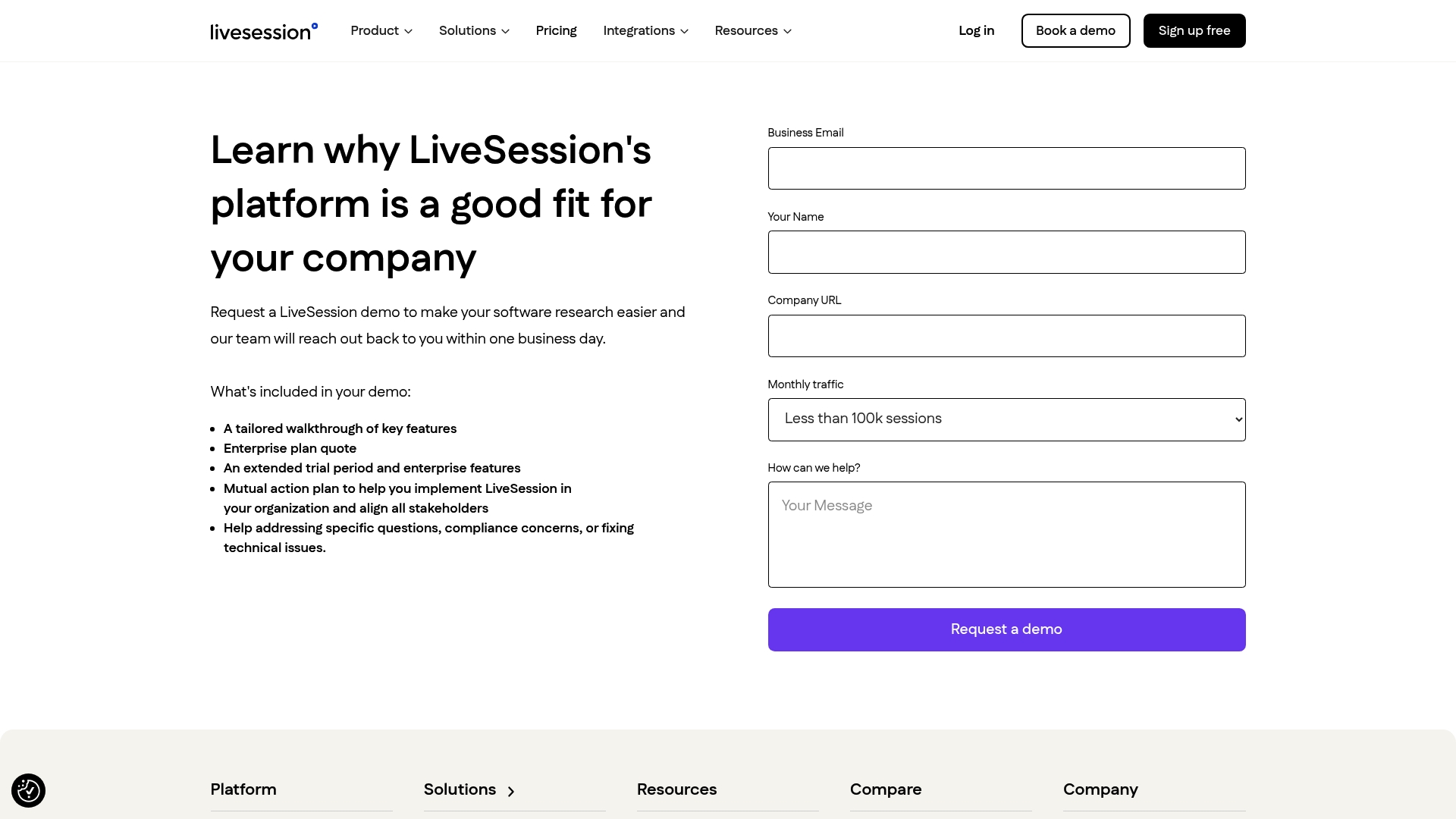
If you’re evaluating platforms against the checklist above, the fastest way to test fit is to run a scoped pilot on your own traffic. Book a demo and bring two or three real use cases to walk through, so you leave the call with an answer, not just a features list.
Sources
Related articles


Get Started for Free
Join thousands of product people, building products with a sleek combination of qualitative and quantitative data.